
Stickers can leave behind a sticky, annoying residue that attracts dust and looks unsightly. If you’re trying to clean your laptop without damaging it, here’s a safe and effective way to remove sticker residue—whether it’s from the lid, keyboard, or screen.
Safe Methods to Remove Sticker Residue
1. Use Rubbing Alcohol (Isopropyl Alcohol)
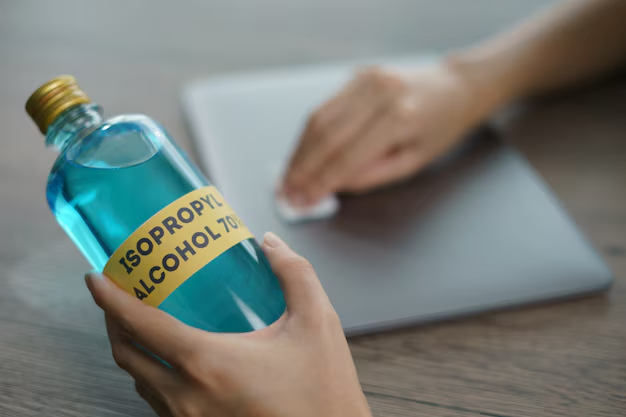
Dampen a microfiber cloth with 70% isopropyl alcohol.
Gently rub the sticky area in circular motions.
Avoid excess liquid near seams or openings.
2. Try White Vinegar (For Gentle Cleaning)
Mix equal parts white vinegar and water.
Dip a cloth in the solution and dab the residue.
Wipe clean with a dry cloth afterward.
3. Baking Soda Paste (For Stubborn Residue)

Make a paste with baking soda and a few drops of water.
Apply with a soft cloth, rub gently, then wipe off.
4. Olive Oil or Coconut Oil (Natural Alternative)
Apply a small amount of oil to the residue.
Let it sit for 5-10 minutes, then wipe away with a cloth.
Clean any oily residue with soapy water afterward.
5. Commercial Adhesive Removers (As a Last Resort)
Products like Goo Gone work well but test on a small area first.
Avoid harsh chemicals that may damage laptop coatings.
What NOT to Do?
❌ Don’t use sharp objects (razors, knives) – they can scratch the surface.
❌ Avoid acetone or nail polish remover – they can strip paint and coatings.
❌ Don’t pour liquid directly on the laptop – always use a cloth.
Final Tip
Once the residue is gone, wipe the area with a damp cloth and dry it thoroughly. If you’re unsure or dealing with delicate surfaces (like a matte finish or screen), Mesa Geeks can help clean your laptop safely.
🧼 Need professional cleaning? Visit Mesa Geeks for a spotless laptop!